From idea to game-ready assets in minutes
Every Tilewise workflow follows the same rhythm: describe what you want, review what the AI made, and export files your engine understands.
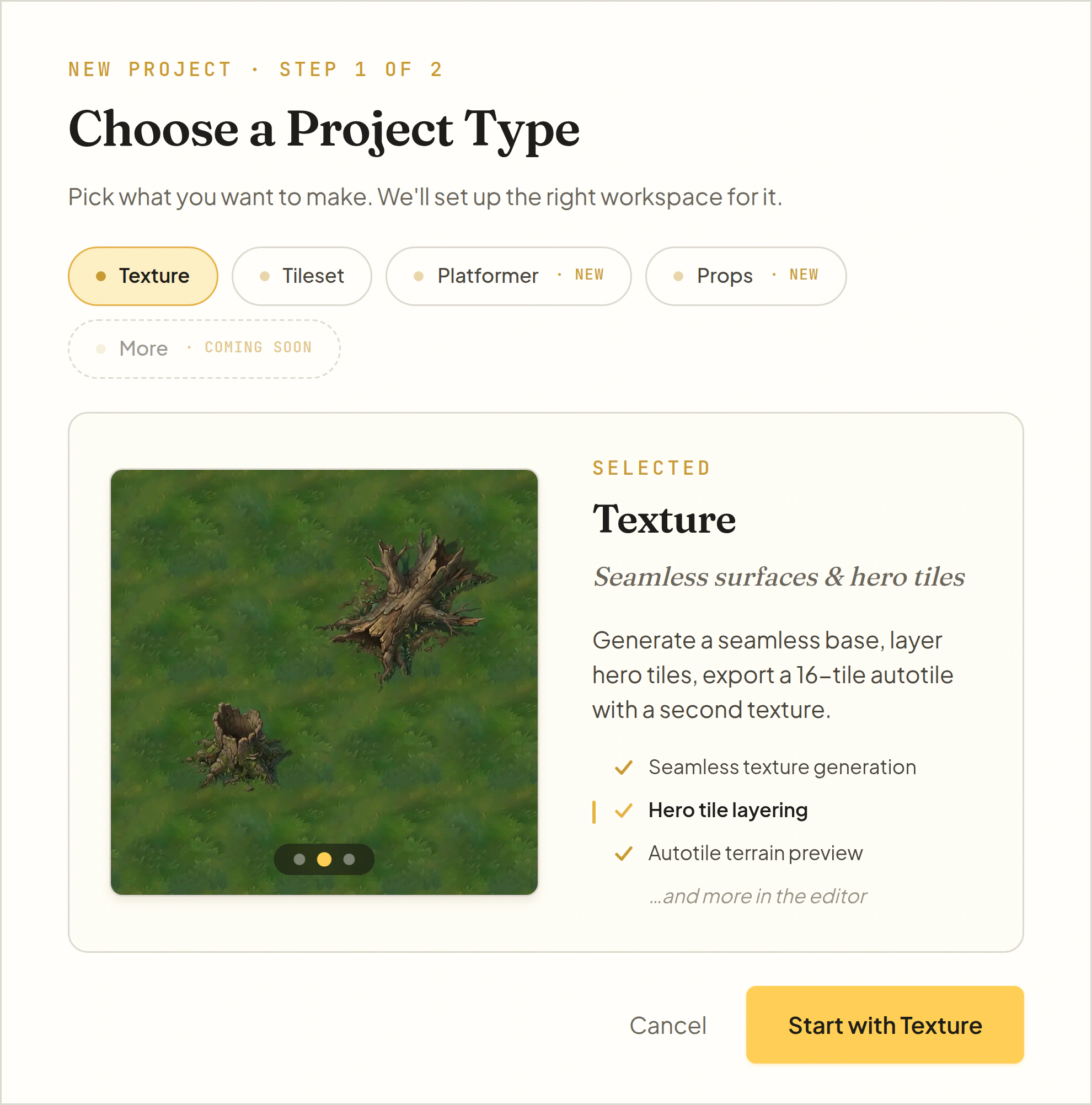
First, pick what you're making
Every project starts the same way: create a project and choose one of four editors. Each editor sets up a workspace built around one asset type, with its own generation tools and export formats. The guides below walk through each editor in turn.
- Projects are unlimited and auto-save to the cloud
- Each project keeps a library of everything you generate
- Assets from one editor can be style references in another
Compose textures with hero tiles
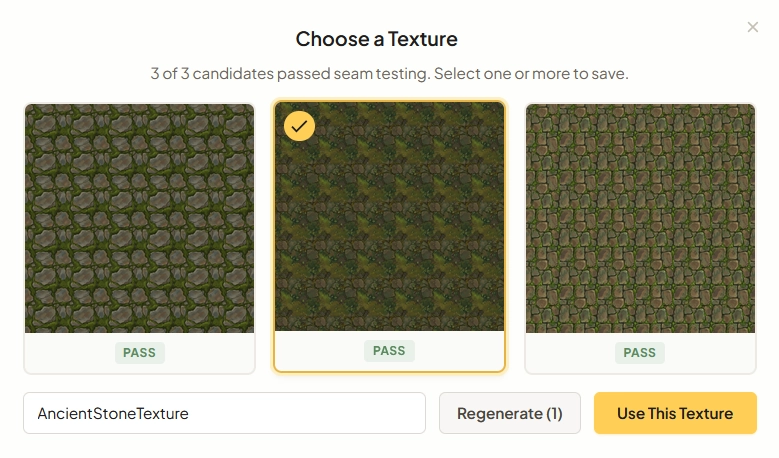
Generate a base texture
Describe what you want or provide reference images. Tilewise generates 3 parallel candidates, each automatically seam-tested. Pick the best ones or regenerate.
"Ancient stone floor with moss growing between cracks"
- Upload up to 2 reference images for style blending
- 3 candidates in parallel, pick the best
- Every texture is automatically seam-tested before selection
Select where features go
Click cells on the grid for quick placement, or switch to free placement mode to drag pixel-perfect rectangles anywhere on the canvas. Select multiple cells by clicking and dragging to cover larger areas.
- Click individual cells for precise placement
- Free placement mode for pixel-perfect positioning
- Drag to select rectangular areas
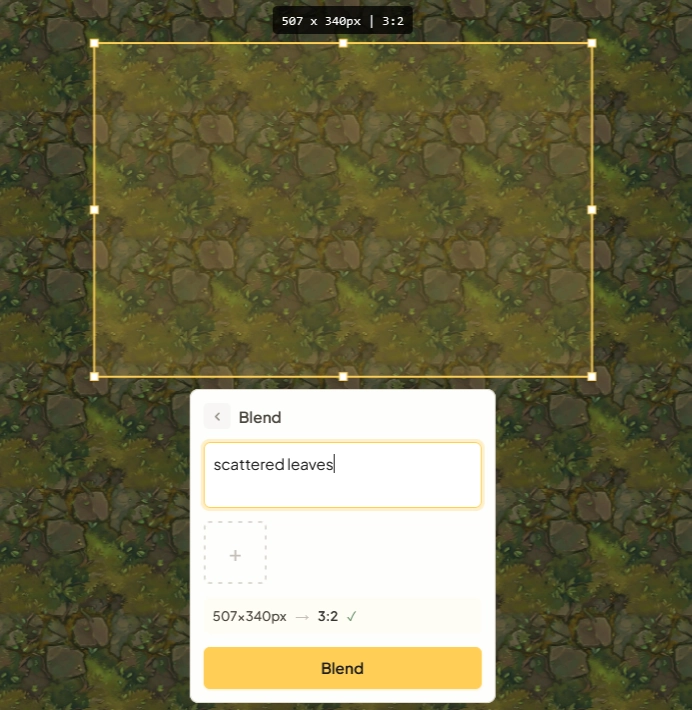
Generate hero tile features
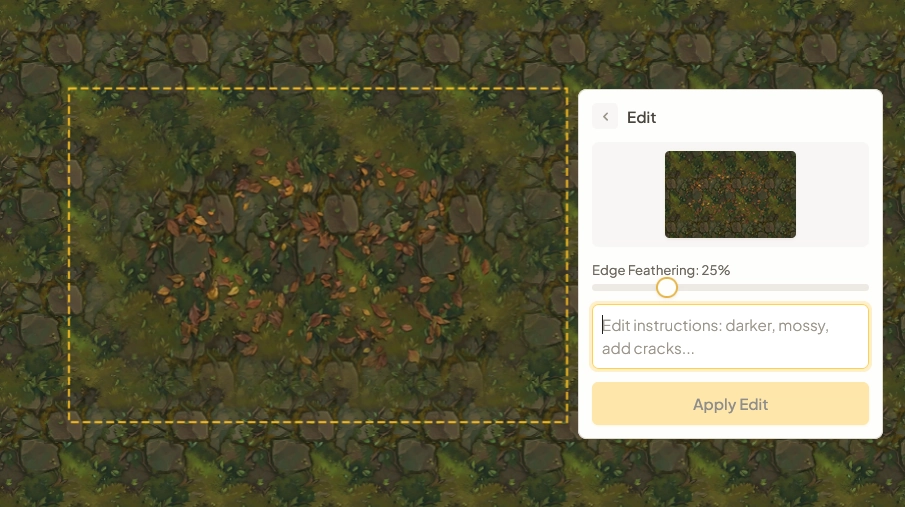
Describe what you want on the selected area. Refine conversationally ("make it darker, add cracks") with full version history and undo/redo.
"Scattered leaves"
- Conversational refinement across multiple turns
- Full version history with undo/redo
- Add reference images for style matching
Compose & export
Generate complete autotile sets, then export ready-made files for your game engine.
- Autotile/Wang sets with interactive terrain preview
- Export for Unity, Godot, Tiled, and JSON
- PNG, spritesheets, and hero tile collections
Generate a complete blob tileset
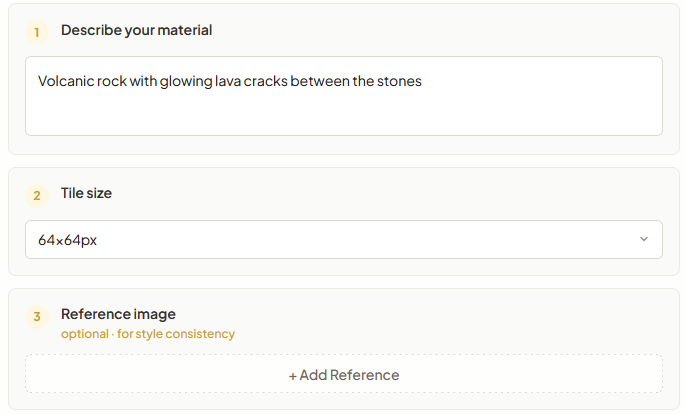
Describe your material
Enter a text prompt describing the material you want for your tileset. Optionally upload reference images to guide the style. Choose your target tile size from 16px to 128px.
- Text prompt, reference images, or both
- Tile sizes from 16px to 128px
- 47 tiles generated covering every edge and corner
Choose an edge profile
Select from 6 built-in edge profiles that control how your tiles transition at borders. Each profile shapes the edges differently, from rough stone to clean brick lines.
- 6 profiles: stone, dirt, brick, wood, crystal, grass
- Change the edge profile anytime without regenerating
- Edge profile only affects transitions, not the material

Preview & export
Preview your complete 47-tile blob tileset, then export as a full spritesheet or individual tiles.
- Full spritesheet + individual tile export
- Preview your tileset before exporting
- Compatible with any game engine
Build a side-view scene kit
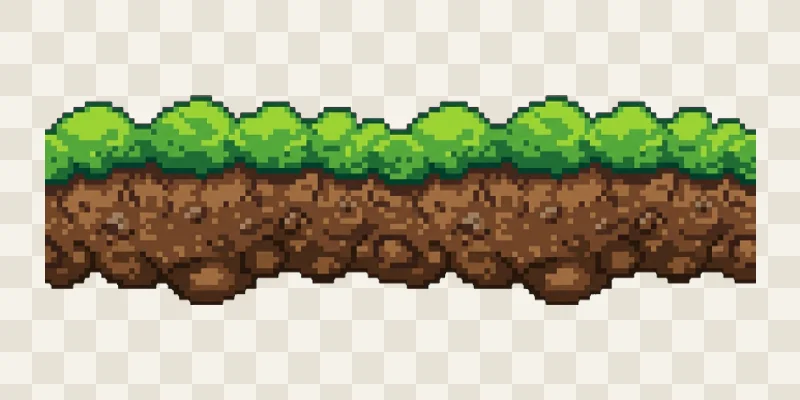
Generate a platform
Describe the surface you want and Tilewise paints a self-tiling platform as three pieces: left cap, middle, and right cap. The middle tiles horizontally, so one platform stretches to any length.
"Grassy turf, pixel art style"
- Self-tiling: left cap, middle, and right cap
- Any art style: pixel art, painted, hand drawn
- Regenerate until the style feels right
Add props and a backdrop
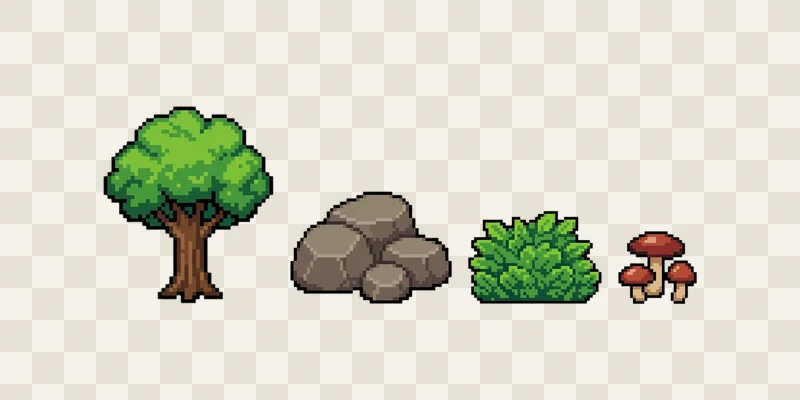
Generate decoration props matched to your platform, and a wide backdrop for the scene behind it. Everything is painted in the same style, so the pieces belong together.
"Pick a natural assortment for me"
- Props arrive as individual transparent PNGs
- Backdrops are wide layers made for parallax scenes
- Ask for specific props or let Tilewise pick an assortment
Assemble & export
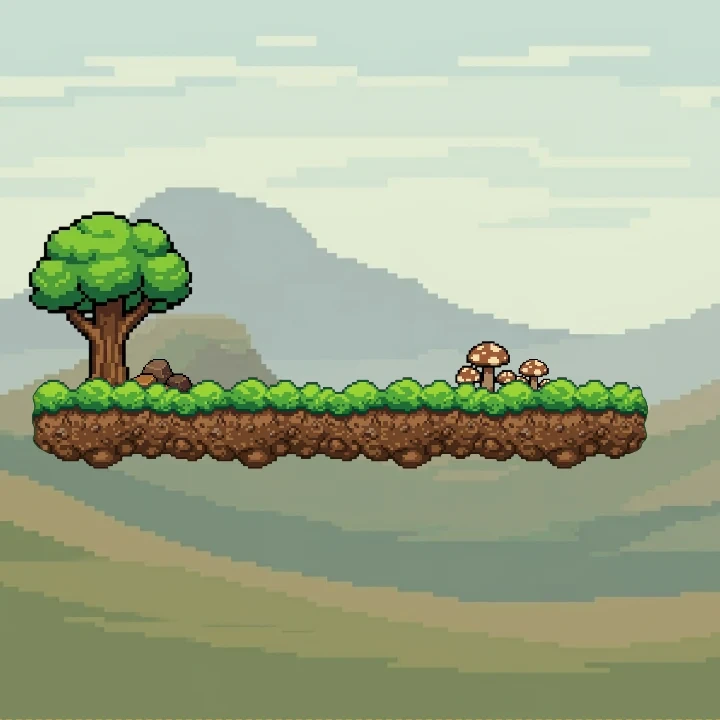
Arrange platforms, props, and backdrop in the editor to see the scene as a whole, then export everything as one kit.
- Scene assembly right in the editor
- Export PNGs plus Godot metadata
- Pieces drop into any engine that imports PNG
Generate props in any style
Pick a style reference
Choose an asset from any of your Tilewise projects, or upload an image. The AI reads its palette and rendering style, and everything it generates will match.
- Use any texture, tileset, or platform you made
- Or upload art from your existing game
- Uploaded references are never stored on our servers
Describe the props you need
Ask for specific props or let Tilewise pick a natural assortment for the style. One generation produces a whole set, and you can remove any prop you do not want before saving.
"Market stall props: crates, sacks, hanging lanterns"
- A full set of props from one generation
- Perspective control: side view, top down, or neutral
- Generate again to grow the set
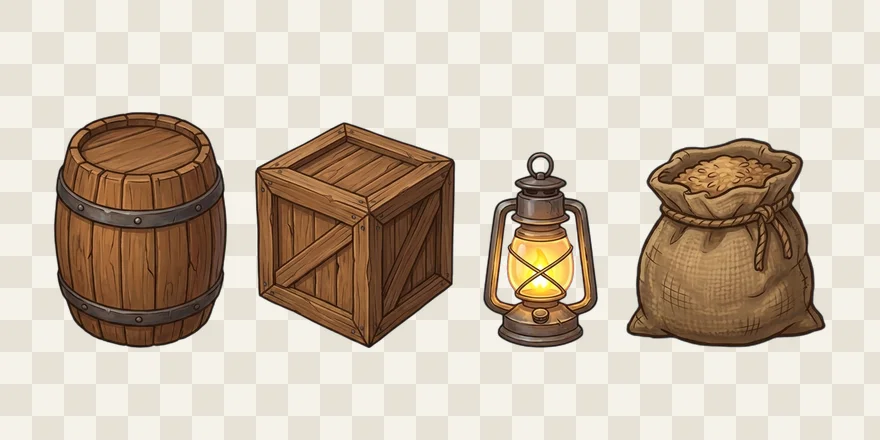
Export transparent PNGs
Every prop is cut to its own transparent PNG, ready to place anywhere in your levels. Export as a PNG pack, or add a JSON manifest with dimensions for engine import.
- Individual transparent PNGs, cut and ready
- Optional JSON manifest with sizes
- Prop sets save to your project library
Watch Tilewise in action
The texture workflow, from blank canvas to export in under a minute
Get the best results
Expert advice for creating stunning game assets
Use reference images
Upload images that capture the art style you're going for. Reference images guide the AI and help keep your textures visually consistent across the project.
Be descriptive
The more specific your prompts, the better the results. Include materials, colors, style, and mood.
Iterate quickly
Don't aim for perfection on the first try. With 3 candidates per generation and automatic seam healing, it's faster to regenerate than to overthink your prompt.
Reuse your own assets
Your best style reference is an asset you already like. Point the props editor at a texture or platform from any project and everything new will match it.
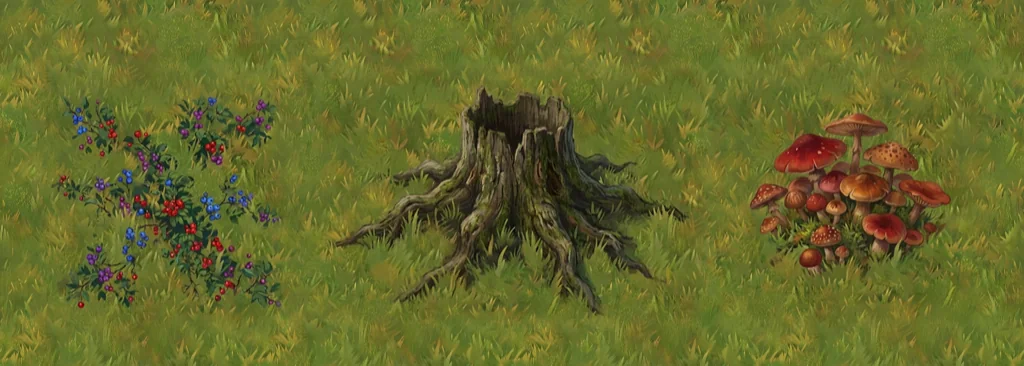
Creating a forest floor
Base Texture
Add Tree Stump
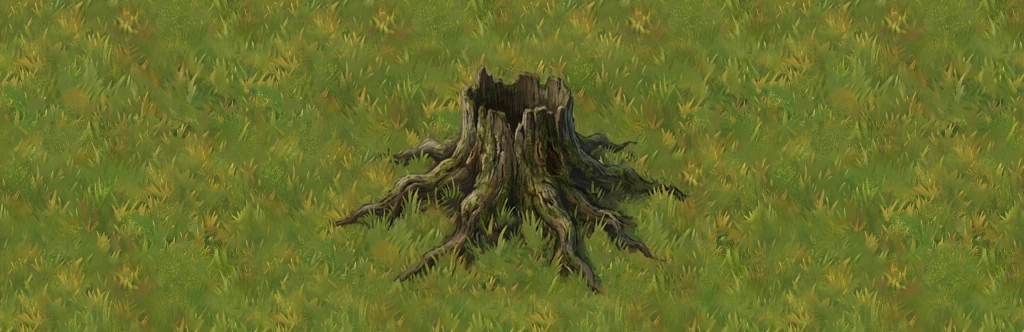
Add Details
Creating a blob tileset
Describe a Material
47 Tiles Generated


Creating a platformer scene
Describe a Platform
Add Matching Props
Backdrop & Export